

Download Windows Subsystem for Linux (WSL) – Linux, WSL, command line, terminal, development, programming, Ubuntu, Debian, SUSE, cross-platform, tool, utility, productivity
Overview
Windows Subsystem for Linux (WSL) is a compatibility layer that enables the native execution of Linux binary executables on Windows 10 and Windows Server 2019 and above. Designed by Microsoft, this tool bridges the gap between Windows and Linux environments, allowing developers and system administrators to leverage Linux-based tools directly within their Windows operating system. The primary purpose of WSL is to streamline development workflows by eliminating the need for virtual machines or dual-boot setups, thus improving efficiency and reducing system overhead.
WSL addresses common challenges faced by cross-platform developers who require access to Linux-specific utilities, package managers, and scripting environments while working on Windows. By enabling direct execution of Linux binaries, it allows users to run command-line tools, compilers, and interpreters such as Bash, Python, and Git without leaving their Windows desktop. This integration is particularly beneficial for developers working on web applications, DevOps pipelines, containerized environments, and system-level scripting.
Target users include software engineers, IT professionals, and technical teams managing hybrid infrastructure. The tool is especially valuable in environments where Windows is the primary OS but Linux tools are essential for development or deployment. WSL has become a foundational component in modern development ecosystems, offering a lightweight alternative to full virtualization. Its presence reflects Microsoft’s growing commitment to supporting open-source tools and developer productivity across platforms.
Key Features & Functionality
- Native Linux Binary Execution – WSL allows Linux binaries to run natively on Windows, enabling direct access to Linux tools without emulation or virtualization.
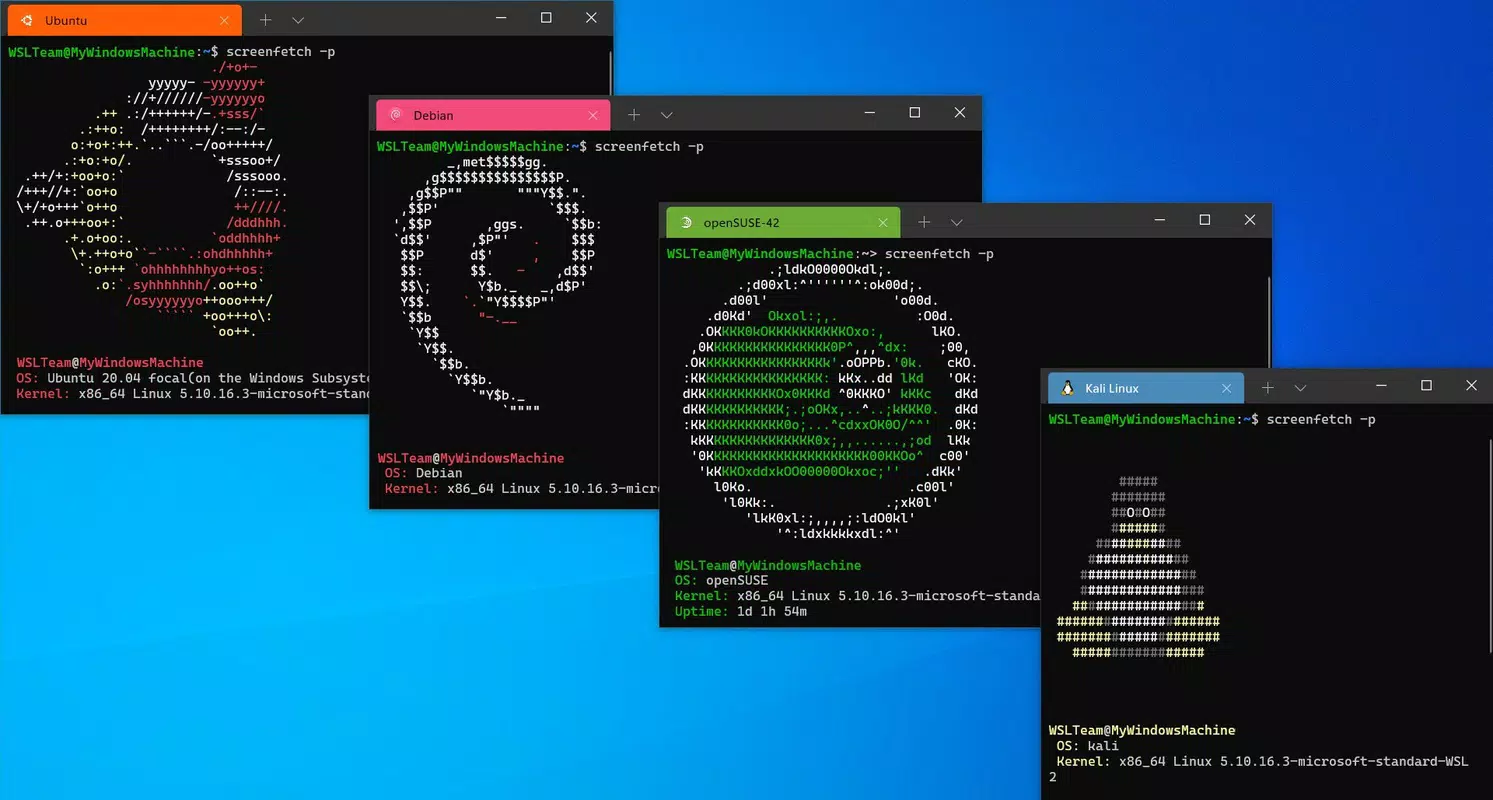
- Multi-Distribution Support – Users can install and run multiple Linux distributions—including Ubuntu, Debian, and SUSE—from the Microsoft Store, each with its own environment and package repository.
- Seamless File System Integration – WSL provides bidirectional access between Windows and Linux file systems, allowing users to edit Linux files from Windows Explorer and vice versa.
- Improved Performance and Efficiency – By running Linux binaries directly on the Windows kernel, WSL reduces resource consumption compared to traditional virtual machines.
- Continuous Development and Updates – Microsoft maintains WSL with regular updates, ensuring compatibility with new Windows versions and ongoing improvements to performance and functionality.
For example, a developer can use WSL to run a Python script with a Linux-specific library, edit the file using a Windows text editor, and execute it directly in the WSL terminal—all without switching environments. This workflow enhances productivity and reduces context switching. Similarly, DevOps engineers can test containerized applications using Docker within WSL, ensuring consistency across development and production environments.
Interface, UX & Performance
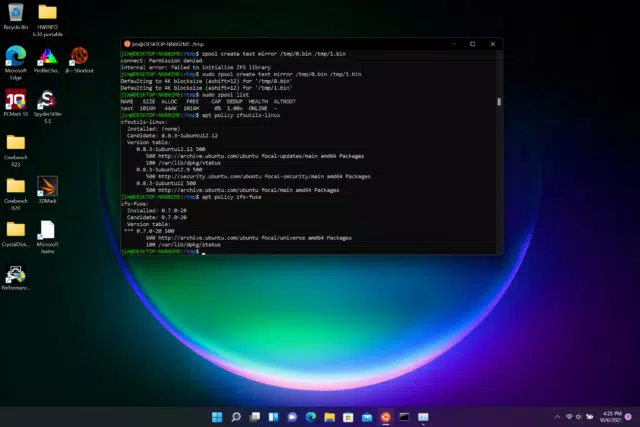
The interface of Windows Subsystem for Linux is primarily command-line based, offering a terminal-like experience that closely resembles traditional Linux shells. Users interact with WSL through the built-in Windows Terminal or other compatible terminal emulators. The visual style is minimalistic and functional, focusing on performance and usability rather than graphical polish.
Navigating WSL involves standard Linux commands such as ls, cd, and sudo, with a familiar layout for experienced Linux users. Newcomers may require a brief learning curve, but the consistency with standard Linux environments reduces the barrier to entry. The navigation flow is intuitive once users become accustomed to the terminal-based workflow.
Although the developer did not list formal performance metrics, WSL is known for efficient resource utilization, especially when compared to full virtual machines. It runs applications with low latency and minimal CPU and memory overhead. The system remains responsive across a range of device categories, including standard laptops and high-performance workstations. Stability is maintained through tight integration with the Windows kernel, reducing crashes and session failures.
Platform Compatibility & Technical Requirements
Windows Subsystem for Linux is designed for Windows operating systems, specifically Windows 10 and Windows Server 2019 and above. The application is available as a free tool with a file size of 125 MB. The current software version is 1.0.0, released on May 15, 2023.
The developer did not specify minimum OS requirements beyond the supported versions. Compatibility with different hardware configurations was not fully disclosed. Users are advised to ensure their system meets the baseline requirements for running Windows 10 or Server 2019, including sufficient RAM and storage space.
Pros and Cons
Pros
- Free to download and use, with no licensing fees
- Native execution of Linux binaries without virtualization
- Support for multiple Linux distributions via the Microsoft Store
- Seamless integration between Windows and Linux file systems
- Improved performance compared to traditional virtual machines
- Regular updates and active development by Microsoft
Cons
- Primarily command-line based; lacks a graphical user interface
- Some advanced Linux features may not be fully supported
- Dependency on Windows OS updates for full functionality
- Limited graphical application support without additional configuration
- Not available on non-Windows platforms
FAQ
Is Windows Subsystem for Linux free to use?
Yes, WSL is available at no cost. It is distributed by Microsoft as a free tool for Windows 10 and Windows Server 2019 and above.
Can I run GUI applications in WSL?
WSL supports graphical applications, but it requires additional setup such as installing an X server on Windows or using WSLg, which is included in newer versions of WSL.
Do I need to install a Linux distribution separately?
Yes, WSL itself is a compatibility layer. Users must install a Linux distribution—such as Ubuntu, Debian, or SUSE—from the Microsoft Store to use the full environment.
Is WSL compatible with all versions of Windows?
WSL is supported on Windows 10 and Windows Server 2019 and above. Older versions of Windows are not compatible.
How do I update WSL?
Updates are delivered through Windows Update. Users should ensure their system is up to date to receive the latest WSL improvements and security patches.
Final Thoughts
Windows Subsystem for Linux represents a significant advancement in cross-platform development, offering developers a lightweight, efficient way to run Linux tools on Windows. Its seamless integration, multi-distribution support, and strong performance make it a vital utility for modern software development. While it lacks a GUI-centric interface, its command-line focus aligns with the needs of developers who prioritize functionality and speed.
For developers, system administrators, and technical teams working in hybrid environments, WSL delivers tangible productivity gains. It eliminates the friction of switching between operating systems and reduces the need for complex virtualization setups. With ongoing support from Microsoft and a growing ecosystem of tools, WSL continues to evolve as a cornerstone of developer workflows.
Download Windows Subsystem for Linux (WSL) now to unlock the power of Linux within your Windows environment.


